
Meme Generation Examples
This document provides practical examples of using the meme generation skill in various contexts.
Basic Examples
Example 1: Simple Meme
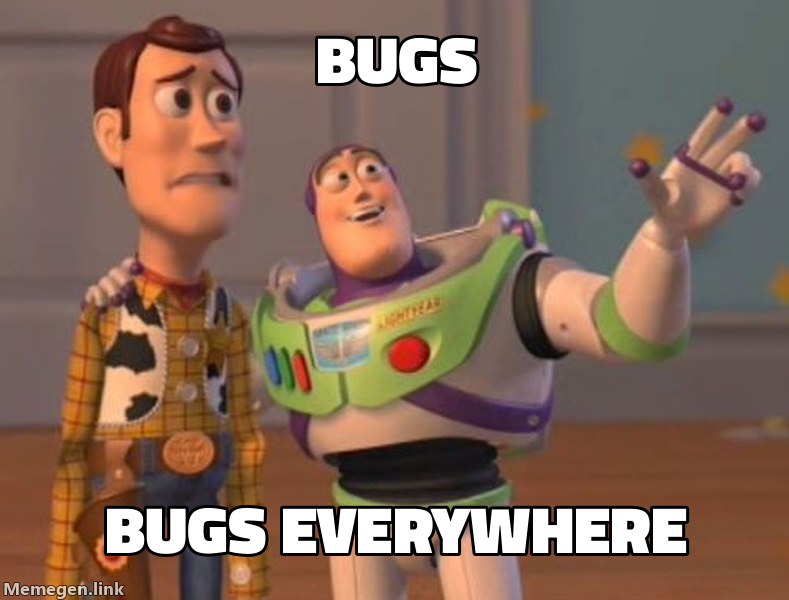
Request: "Create a meme about bugs everywhere"
Response:
Here's a Buzz Lightyear meme about bugs:
Example 2: Drake Comparison Meme
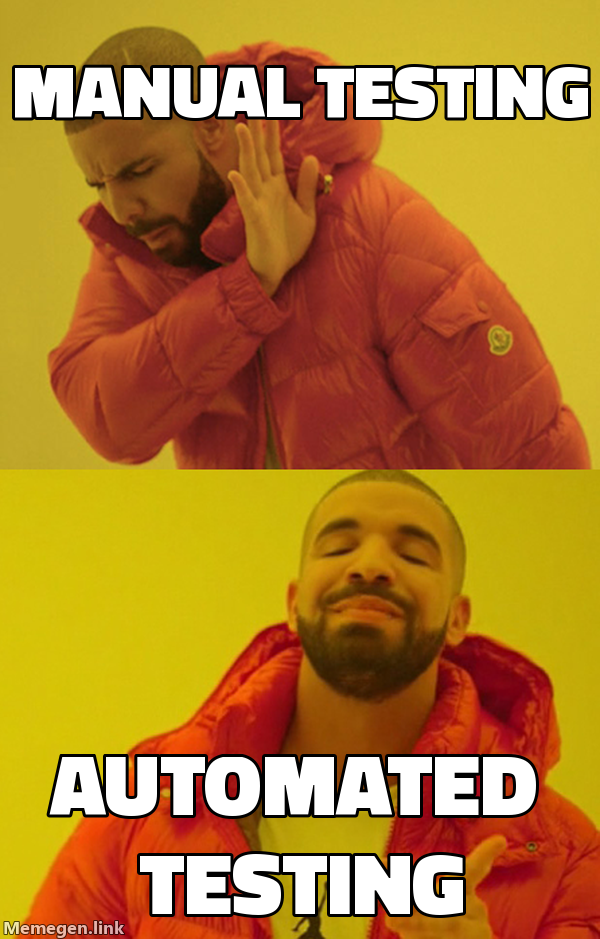
Request: "Make a Drake meme comparing manual testing vs automated testing"
Response:
Here's a Drake meme comparing testing approaches:
Example 3: Success Meme
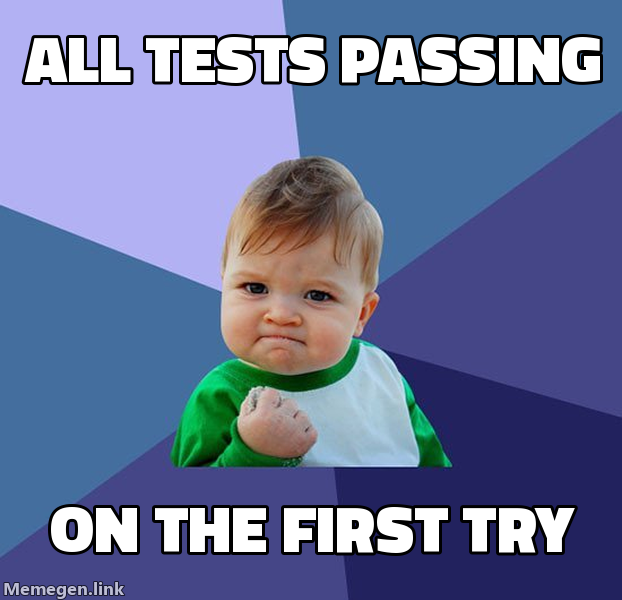
Request: "Generate a success kid meme about all tests passing"
Response:
Here's a success meme:
Programming Examples
Python Script Example
from meme_generator import MemeGenerator

# Initialize generator
meme = MemeGenerator()

# Generate a basic meme
url = meme.generate(
    template="buzz",
    top_text="features",
    bottom_text="features everywhere"
)
print(f"Meme URL: {url}")

# Generate with custom dimensions for social media
url = meme.generate(
    template="drake",
    top_text="writing tests later",
    bottom_text="writing tests first",
    width=1200,
    height=630
)
print(f"Social media meme: {url}")

# Get markdown for embedding
markdown = meme.get_markdown_image(url, alt_text="TDD Meme")
print(f"Markdown: {markdown}")
CLI Example
# Generate a basic meme
python meme_generator.py generate buzz "features" "features everywhere"

# Generate with markdown output
python meme_generator.py generate success "deployed" "no errors" --markdown

# Generate with custom dimensions
python meme_generator.py generate drake "old way" "new way" --width 1200 --height 630

# List all available templates
python meme_generator.py list-templates

# Suggest template for context
python meme_generator.py suggest "deployment success"
Context-Specific Examples
Code Review Context
Scenario: Reviewing pull request with many changes
# Not sure if improvements or over-engineering
url = meme.generate("fry", "not sure if improvements", "or over engineering")
Result:
https://api.memegen.link/images/fry/not_sure_if_improvements/or_over_engineering.pngDeployment Context
Scenario: Successful production deployment
# Success kid meme
url = meme.generate("success", "deployed to production", "zero downtime")
Result:
https://api.memegen.link/images/success/deployed_to_production/zero_downtime.pngIncident Response Context
Scenario: Production fire
# This is fine meme
url = meme.generate("fine", "production is down", "this is fine")
Result:
https://api.memegen.link/images/fine/production_is_down/this_is_fine.pngDocumentation Context
Scenario: Documentation improvements
# Yo dawg meme
url = meme.generate(
    "yodawg",
    "yo dawg i heard you like docs",
    "so i documented the documentation"
)
Result:
https://api.memegen.link/images/yodawg/yo_dawg_i_heard_you_like_docs/so_i_documented_the_documentation.pngAdvanced Examples
Custom Dimensions for Social Media
Open Graph (1200x630)
url = meme.generate(
    "buzz",
    "features",
    "features everywhere",
    width=1200,
    height=630
)
Custom Layout
Top-only text
url = meme.generate(
    "rollsafe",
    "cant have bugs in production",
    layout="top"
)
Multiple Format Generation
formats = ["png", "jpg", "webp"]
for fmt in formats:
    url = meme.generate(
        "success",
        "all tests passing",
        "first try",
        extension=fmt
    )
    print(f"{fmt.upper()}: {url}")
Integration Examples
Slack Bot Integration
def send_deployment_meme(channel: str, status: str):
    """Send a meme to Slack based on deployment status."""
    meme = MemeGenerator()

    if status == "success":
        url = meme.generate("success", "deployed", "no errors")
        message = "Deployment successful!"
    elif status == "failure":
        url = meme.generate("fine", "deployment failed", "this is fine")
        message = "Deployment needs attention"
    else:
        url = meme.generate("fry", "not sure if deployed", "or still deploying")
        message = "Deployment status unclear"

    # Send to Slack (pseudo-code)
    slack_client.chat_postMessage(
        channel=channel,
        text=message,
        attachments=[{"image_url": url}]
    )
GitHub PR Comments
def comment_pr_review(pr_number: int, review_type: str):
    """Add a meme to PR comments based on review."""
    meme = MemeGenerator()

    review_memes = {
        "approved": meme.generate("success", "lgtm", "ship it"),
        "changes_requested": meme.generate("yuno", "y u no", "write tests"),
        "complex": meme.generate("fry", "not sure if feature", "or bug")
    }

    url = review_memes.get(review_type)
    markdown = meme.get_markdown_image(url, alt_text="Code Review Meme")

    # Post comment (pseudo-code)
    github_client.issues.create_comment(
        pr_number,
        f"Code review complete!\n\n{markdown}"
    )
Discord Bot Integration
@bot.command()
async def deploy_meme(ctx, status: str):
    """Generate deployment meme for Discord."""
    meme = MemeGenerator()

    if status == "success":
        url = meme.generate("success", "deployed", "zero downtime")
    elif status == "fail":
        url = meme.generate("fine", "servers on fire", "this is fine")

    await ctx.send(f"Deployment Status: {status}")
    await ctx.send(url)
Batch Generation Examples
Generate Multiple Memes for a Topic
def generate_testing_memes():
    """Generate a collection of testing-related memes."""
    meme = MemeGenerator()

    memes = [
        meme.generate("drake", "manual testing", "automated testing"),
        meme.generate("success", "all tests passing", "on first try"),
        meme.generate("fry", "not sure if bug", "or feature"),
        meme.generate("interesting", "i dont always test", "but when i do i test in production"),
    ]

    print("Testing Meme Collection:\n")
    for i, url in enumerate(memes, 1):
        print(f"{i}. {url}")

generate_testing_memes()
Generate Memes for Documentation
def generate_docs_memes():
    """Generate documentation-related memes."""
    meme = MemeGenerator()

    topics = [
        ("yodawg", "yo dawg i heard you like docs", "so i documented your docs"),
        ("buzz", "documentation", "documentation everywhere"),
        ("wonka", "oh you write documentation", "tell me more about this fantasy"),
        ("ancient", "documentation", "documentation"),
    ]

    for template, top, bottom in topics:
        url = meme.generate(template, top, bottom)
        markdown = meme.get_markdown_image(url)
        print(markdown)

generate_docs_memes()
Error Handling Examples
Check Template Validity
def generate_safe_meme(template: str, top: str, bottom: str):
    """Generate meme with error handling."""
    meme = MemeGenerator()

    # Check if template exists
    if template not in meme.TEMPLATES:
        print(f"Warning: '{template}' not in known templates")
        print(f"Falling back to 'buzz'")
        template = "buzz"

    url = meme.generate(template, top, bottom)
    return url
Context-Based Template Selection
def smart_meme_generation(context: str, top: str, bottom: str):
    """Generate meme with automatic template selection."""
    meme = MemeGenerator()

    # Suggest template based on context
    suggested_template = meme.suggest_template_for_context(context)

    print(f"Context: {context}")
    print(f"Suggested template: {suggested_template}")

    url = meme.generate(suggested_template, top, bottom)
    return url

# Examples
url1 = smart_meme_generation("deployment success", "deployed", "no errors")
url2 = smart_meme_generation("debugging nightmare", "bugs", "bugs everywhere")
url3 = smart_meme_generation("code comparison", "old code", "new code")
Tips for Effective Memes
Good Examples
# ✅ Concise text
meme.generate("buzz", "bugs", "bugs everywhere")

# ✅ Relevant template
meme.generate("drake", "manual work", "automation")

# ✅ Clear message
meme.generate("success", "deployed", "zero errors")
Bad Examples
# ❌ Too much text
meme.generate(
    "buzz",
    "there are way too many bugs in this codebase",
    "seriously there are bugs absolutely everywhere i look"
)

# ❌ Wrong template choice
meme.generate("success", "production is down", "servers crashed")  # Should use 'fine'

# ❌ Unclear message
meme.generate("buzz", "stuff", "things")
Testing Your Memes
def test_meme_generation():
    """Test meme generation with various inputs."""
    meme = MemeGenerator()

    test_cases = [
        ("buzz", "test", "test everywhere", "png"),
        ("drake", "bugs", "features", "jpg"),
        ("success", "deployed", "working", "webp"),
    ]

    print("Testing meme generation:\n")
    for template, top, bottom, ext in test_cases:
        url = meme.generate(template, top, bottom, extension=ext)
        print(f"✓ {template} ({ext}): {url}")

test_meme_generation()
Real-World Workflow Example
def deployment_workflow_with_memes(deployment_result: dict):
    """Complete deployment workflow with contextual memes."""
    meme = MemeGenerator()

    # Pre-deployment
    pre_deploy = meme.generate("buzz", "deployments", "deployments incoming")
    print(f"Pre-deployment: {pre_deploy}")

    # During deployment
    if deployment_result["status"] == "in_progress":
        during = meme.generate("fry", "not sure if deploying", "or already deployed")
        print(f"During: {during}")

    # Post-deployment
    if deployment_result["success"]:
        post = meme.generate(
            "success",
            "deployed to production",
            "zero downtime",
            width=1200,
            height=630
        )
        slack_message = f"Deployment successful! {post}"
    else:
        post = meme.generate("fine", "deployment failed", "this is fine")
        slack_message = f"Deployment needs attention: {post}"

    print(f"Post-deployment: {slack_message}")

# Example usage
deployment_workflow_with_memes({
    "status": "completed",
    "success": True,
    "duration": "5m 32s"
})
Summary
These examples demonstrate:
- Basic meme generation
- Context-aware template selection
- Integration with popular platforms
- Error handling and validation
- Batch generation workflows
- Real-world use cases
For more examples and templates, visit: